Auto-clippers guess. We choose.
The Opus Clip alternative that is a human, not another AI
A human editing team watches your video and picks the clips worth posting, not an algorithm generating a batch to sort through.
- 10
- clips a human chose from one 44-minute episode
- 12-75
- human-picked clips a month, by plan
- 3-day
- turnaround on the Starter plan
$299/mo for 12 clips - $599/mo for 30 - $1,200/mo for 75
A human watches, not a model
Our own case study: an editor watched a full 44-minute episode start to finish and hand-picked ten clips worth posting. An AI clipping tool scores segments and hands you its highest-ranked guesses instead.
Fewer clips, the right ones
You get a set number of finished clips a month, chosen by an editor who learns your show, not a larger batch of auto-generated candidates you still have to review yourself.
Nothing left for you to review
Clips arrive captioned, reframed and finished. You are not the last reviewer checking an algorithm's output before you can post it.
Which one is right for you?
Cliphound fits creators who want a human editor's judgement on which clips are worth posting, without reviewing a batch of AI-generated candidates themselves. OpusClip fits better for daily or high-frequency posting, tight budgets under $30 a month, or creators happy making the final selection and edit themselves.
- You want a human editor's judgement on which moments are actually worth posting, not a ranked list to review yourself.
- You are tired of reviewing a batch of AI-generated clips and picking the few that actually work.
- You want the same editor learning your show over time, rather than a fresh automated pass on every upload.
- You would rather hand off picking, cutting and captioning entirely than manage a tool.
- You post daily or several times a day and need clips within minutes, not days.
- Your budget is under $30 a month and a self-serve tool covers what you need right now.
- You do not mind reviewing a batch of auto-generated clips yourself and picking the ones that work.
- You want to make every editing decision yourself inside a timeline, rather than handing footage to an editing team.
Side-by-side comparison
The core difference is who does the final review. OpusClip generates a batch of candidate clips and leaves the picking to you; Cliphound's human editing team does that picking before you ever see the output, so what arrives is finished, not a shortlist. That judgement costs more and takes longer than an automated pass.
One episode. Its best moments.
A real editor watched all 44 minutes and pulled the moments worth posting.

The full episode · 44 min
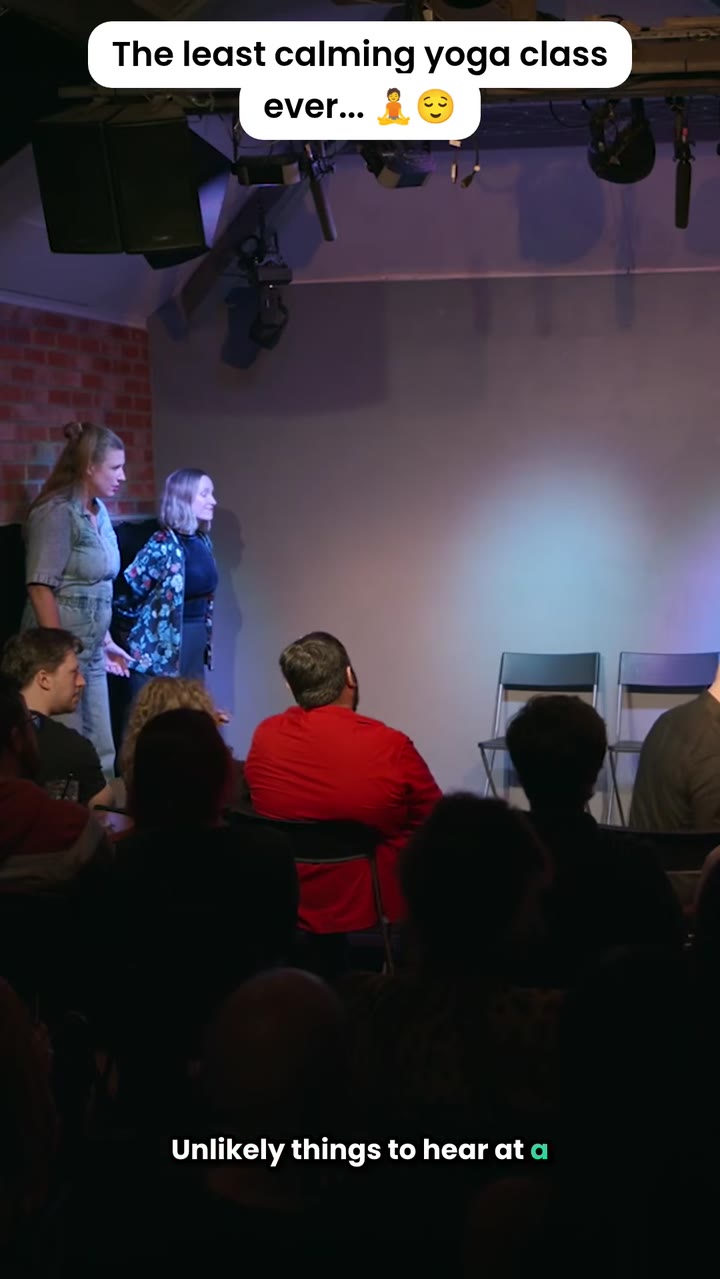
One of the ten clips we chose
Moving from OpusClip takes three steps
Moving from OpusClip takes three steps: answer three quick questions about your show, a human editor reviews your existing videos, then you book a short onboarding call. Nothing to pay to get started, and you can keep your OpusClip account running in parallel until you are ready to switch.
- 01
Answer three quick questions
Tell us about your show and where you want clips posted. Nothing to pay to get started.
- 02
We review your existing videos
A human editor looks at your long-form content and confirms the plan and turnaround that fits your posting cadence.
- 03
Book an onboarding call
A short call to confirm the details, then your first set of human-picked clips starts on your plan's turnaround.
No commitment to get started
Answer three quick questions and talk to us before anything is charged. There is nothing to pay to get started, and you can cancel anytime once you are on a plan.
- Three quick questions, no commitment
- Nothing to pay to get started
- Keep using OpusClip until you switch
- Cancel anytime
The short answer
Cliphound is the Opus Clip alternative that replaces an algorithm with a human editing team: a real editor watches your full video and chooses the clips worth posting, rather than generating a batch for you to review yourself. It is a genuine stretch on cost and workflow against OpusClip's published Free, $15 and $29 tiers - covered honestly below.
Frequently asked questions
Is Cliphound just another Opus Clip alternative?+
No, and that is the point. Every other Opus Clip alternative you will find is still an AI tool, generating clips the same way OpusClip does. Cliphound replaces the algorithm with a human editing team that watches your video and chooses the clips itself.
How much do OpusClip alternatives cost?+
Self-serve AI alternatives mostly sit in the same range as OpusClip's own published Free, $15 and $29 tiers. Cliphound is a different kind of alternative - a done-for-you service from $299 a month. We break down the full cost picture, including what OpusClip costs in practice, on our Cliphound vs Opus Clip comparison.
Is CapCut, Riverside, Munch or Descript a better Opus Clip alternative?+
All of them are auto-clippers at heart - CapCut, Riverside's Magic Clips, Munch and Descript each generate clips automatically from your footage, the same category as OpusClip. The question that matters is not which algorithm to pick, it is whether you want an algorithm or a human editing team choosing your clips at all.
When is OpusClip the right choice instead of Cliphound?+
If you post daily or several times a day, run a budget under $30 a month, or you are happy reviewing a batch of auto-generated clips yourself and picking the ones that work, OpusClip's self-serve model fits that better than a done-for-you service.
Does Cliphound use AI at all?+
Editors use tools to speed up cutting, captioning and reframing, but a human always chooses which moments become clips and reviews everything before it reaches you. Nothing is auto-published from a model's output.
Can I try Cliphound alongside my existing OpusClip account?+
Yes. There is nothing to pay to get started and no commitment before an onboarding call, so you can keep OpusClip running while you see whether a human-picked set of clips works better for your show.
Ready for an alternative that is a human, not another AI?
Three quick questions, then an onboarding call. Nothing to pay to get started, and you can cancel anytime.
The honest case for a human Opus Clip alternative
Type “opus clip alternative” into Google and every result, from the AI Overview to the forum threads to the tool-vendor landing pages, offers the same thing: a different AI clipping tool. Klap, Choppity, WayinVideo, Ssemble, Vizard - all of them generate a batch of candidate clips from your footage and leave you to review, trim and pick. None of them changes what is actually happening: an algorithm scores your video, not a person.
Cliphound is the alternative that changes that. A human editing team watches your full video, the way a producer would, and chooses the clips worth posting - the same process behind our done-for-you podcast clipping service and our video clipping service with a human editing team. You can see exactly what that looks like on one real 44-minute episode in the case study behind these numbers: ten clips a human editor actually chose, nothing generated and handed back for someone else to sort through.
We are not going to pretend this is the right fit for everyone searching for an Opus Clip alternative. If you post daily, need clips within minutes, or are working with a tight budget, OpusClip’s own self-serve model is a genuinely better fit than a done-for-you service - see what OpusClip actually costs in practice, and where it beats us honestly for the full picture, including its published Free, $15 and $29 tiers. That page is also where the pricing detail properly lives; this one is about the bigger question of algorithm versus human, not a line-by-line cost comparison.
The same “auto-clipper guesses, human chooses” argument applies whether the tool in question is OpusClip, Riverside’s Magic Clips, CapCut, Munch or Descript - they are all solving the same generation problem, just with different interfaces. If AI-generated short-form content already feels interchangeable to you, why AI slop clips fail and what works instead goes further into why that sameness happens and what a human editor does differently.
If you already publish long-form video or podcast episodes and are tired of reviewing another tool’s output, the fastest way to find out if a human editing team is the right fit is to answer three quick questions. Nothing is charged to get started, and there is no commitment before the onboarding call.